Mark exam scripts against your own marking scheme
Upload handwritten answer booklets, have them marked against your marking scheme, and review flagged answers in minutes.
SchemeMark
Operating Systems
BIT 2203 · Dec 2026
Exam progress
174 / 180 marked
180
Scripts
174
Marked
6
Needs a fix
12
Flagged
Features
Why mark with SchemeMark
Less time adding up marks. More time on the answers that need you.
Your marking scheme
Upload a PDF, Word document or photo of the scheme. SchemeMark marks to your points and your rules: compulsory questions, “answer any 2”, half marks.
Phone or scanner
Scan booklets on any scanner or copier and upload the PDFs, or capture them with a phone. Phone capture works offline and uploads later.
Every mark shows its evidence
See the student's words beside the scheme point. Flagged answers come first, and you have the final say.
Results back sooner
Scripts are marked while you get on with teaching. You spend your time on the flagged answers, not on the whole pile.
Mark as a team
Invite co-markers and reviewers to an exam, and share a capture link so an assistant can collect booklets for you.
Results ready to send
Totals are added up for you. Export to Excel, return marked scripts with ticks, or share a read-only results link.
Fair and consistent
Script 180 is marked against the same scheme, in the same way, as script 1.
You stay in charge
SchemeMark proposes marks against your scheme. You change what you disagree with and decide when results are final.
Marking by hand, or with SchemeMark
How it works
From your marking scheme to final marks
Three steps. Scripts can come from a scanner or a phone.
- 1
Add your scheme
Upload and confirm the marking scheme and rules.
- 2
Add scripts
Upload PDFs from your scanner or copier, or capture booklets with a phone.
- 3
Review and finalise
Check flagged answers, adjust if needed, then finalise and export.
Step 2 · Add scripts
Use the scanner you have, or turn a phone into one
Already have a scanner or copier?
Take out the staples, scan the booklets to PDF with each cover page first, and upload. SchemeMark splits every PDF into scripts at each cover page and reads the registration number from it.
What you need
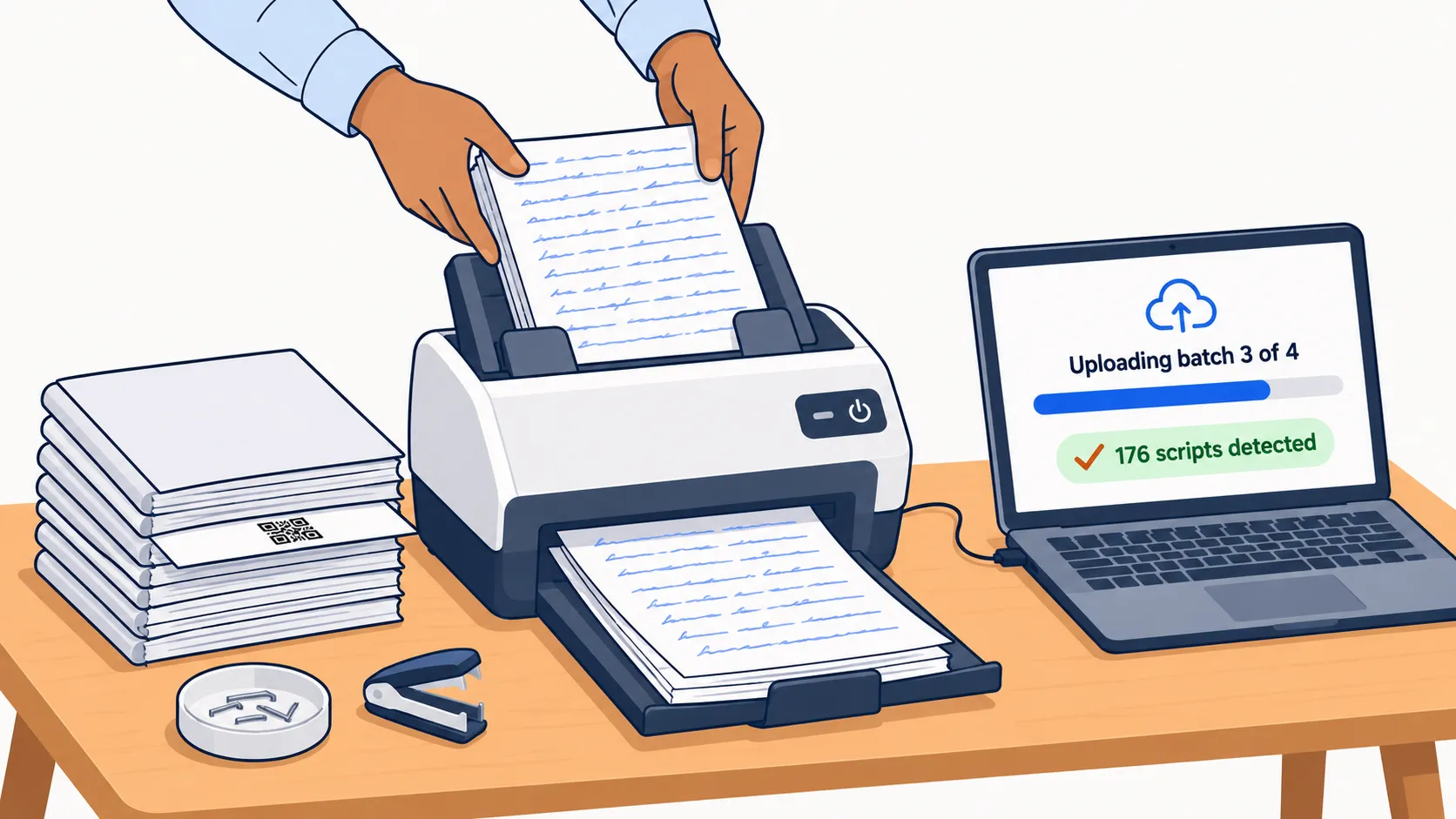
How to scan a pile
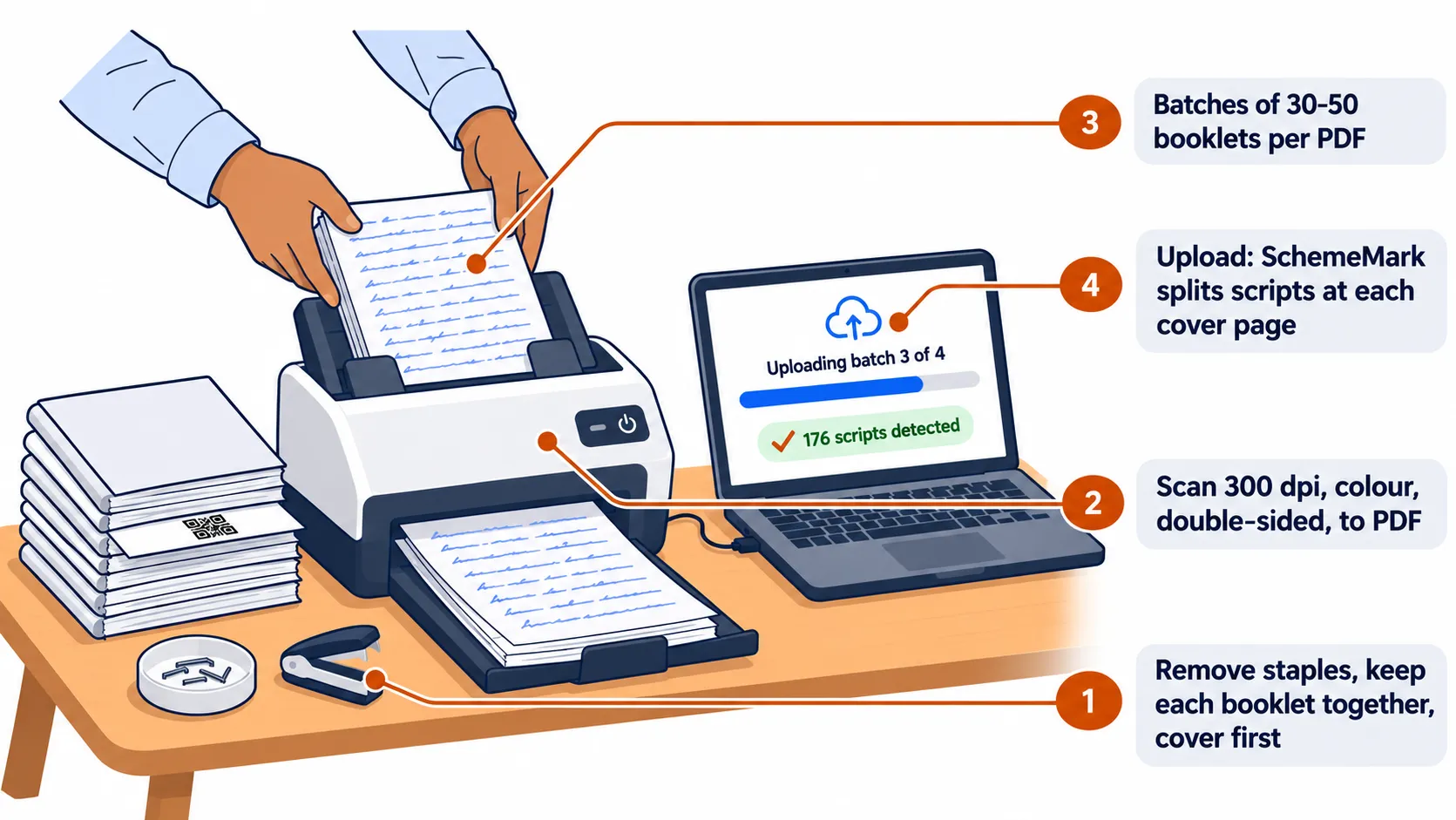
- 1Remove the staples, keep each booklet together, cover first
- 2Scan at 300 dpi, in colour, double-sided, to PDF
- 3Batches of 30 to 50 booklets per PDF
- 4Upload: SchemeMark splits scripts at each cover page
Pricing
Pay per script. Nothing else.
No subscription and no monthly fee.
KES
20
per script
- Pay with M-Pesa
- One credit marks one script of up to 12 pages
- You only pay for scripts that are marked
- If a script can't be marked, its credit comes back
Student data
Built to protect your students
Marking needs student scripts. Here's how we look after them.
Registration numbers only. Names are never stored as data.
Cover pages and registration numbers are read on our server and never sent to AI providers.
Answer pages go to AI models from providers outside Kenya with identifying lines blanked out, under data protection safeguards.
Page images are deleted 6 months after marks are finalised.
SchemeMark proposes a mark for every answer with the student's words quoted beside the scheme point it matched, plus a confidence score. Answers it is less sure about are flagged and shown to you first. Nothing is final until you finalise it, so you can check as much or as little as you like.
Each page is transcribed before it is marked, and you can always see the transcription next to the page image. When writing is too hard to read, the answer is flagged for you instead of guessed. When capturing with a phone, SchemeMark warns about blurry or dark photos before they're uploaded.
You, and the people you invite to your exam or team. Cover pages and registration numbers stay on our server. AI providers only receive answer pages with identifying lines blanked out, labelled with an internal ID, and they may not train on them. Every transfer is logged.
KES 20 per script, paid with M-Pesa. No subscription and no monthly fees. Every new account gets 25 free scripts to try it on a real exam.
Change it in Review. Every adjustment is recorded with who made it. If you edit the scheme after marking, SchemeMark re-marks only the questions that changed and keeps the marks a person already adjusted.
Yes. Take out the staples and scan the booklets on any scanner or copier, cover page first, in batches of 30 to 50 booklets per PDF. Upload the PDFs and SchemeMark starts a new script at every cover page and reads the registration number from it. Use a phone when there's no scanner nearby, or when you'd rather capture as you go.
Ready to mark smarter?
Get 25 free scripts to try it on your next exam.